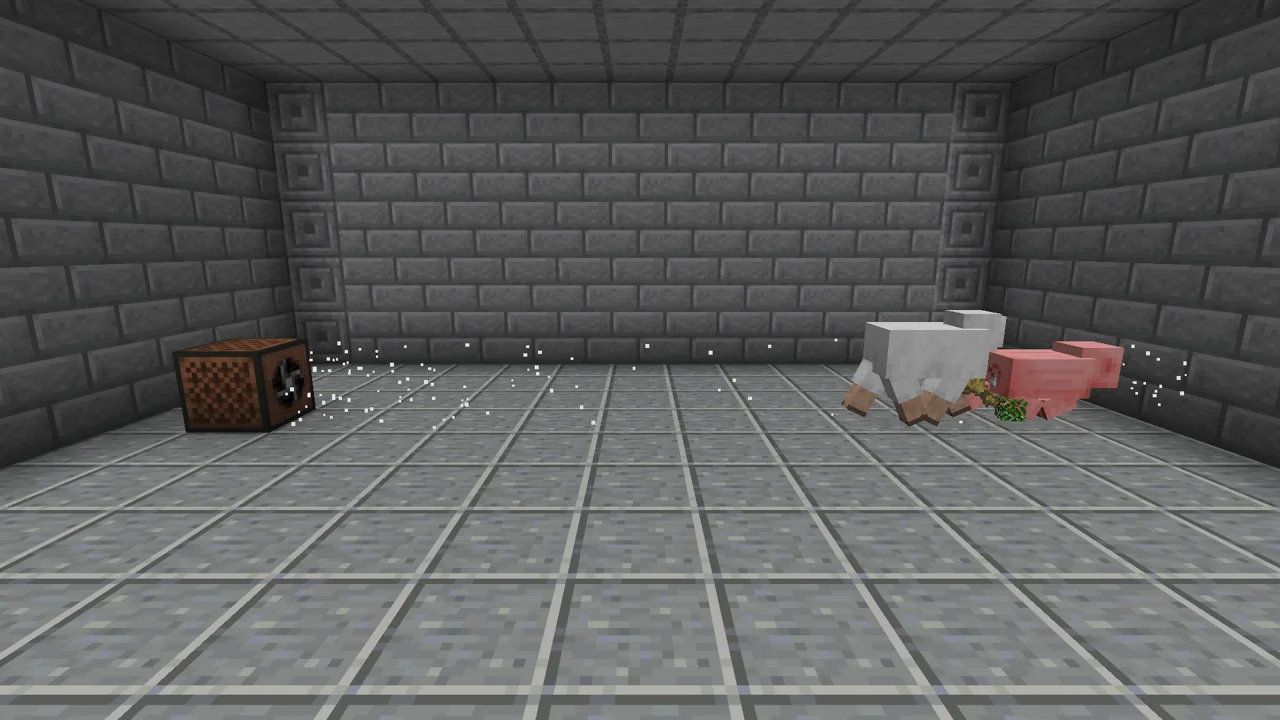
Fans are blocks that allow you to push/pull or blow/suck entities. It does this by the power of AIR!

Oak Planks
minecraft:
Accepts any planks: tag #minecraft:
Iron Ingot
minecraft:
Accepts any iron ingots: tag #c:
Oak Planks
minecraft:
Accepts any planks: tag #minecraft:
Oak Planks
minecraft:
Accepts any planks: tag #minecraft:
Redstone Dust
minecraft:
Accepts any redstone dusts: tag #c:
Oak Planks
minecraft:
Accepts any planks: tag #minecraft:
Oak Planks
minecraft:
Accepts any planks: tag #minecraft:
Oak Planks
minecraft:
Accepts any planks: tag #minecraft:
Oak Planks
minecraft:
Accepts any planks: tag #minecraft:
Fan
assortedfan:
Shaped crafting recipe made in a Crafting Table. Row 1: any planks (tag #minecraft:planks, 12 items), any iron ingots (tag #c:ingots/iron, 1 item), any planks (tag #minecraft:planks, 12 items). Row 2: any planks (tag #minecraft:planks, 12 items), any redstone dusts (tag #c:dusts/redstone, 1 item), any planks (tag #minecraft:planks, 12 items). Row 3: any planks (tag #minecraft:planks, 12 items), any planks (tag #minecraft:planks, 12 items), any planks (tag #minecraft:planks, 12 items). Makes Fan.
Settings
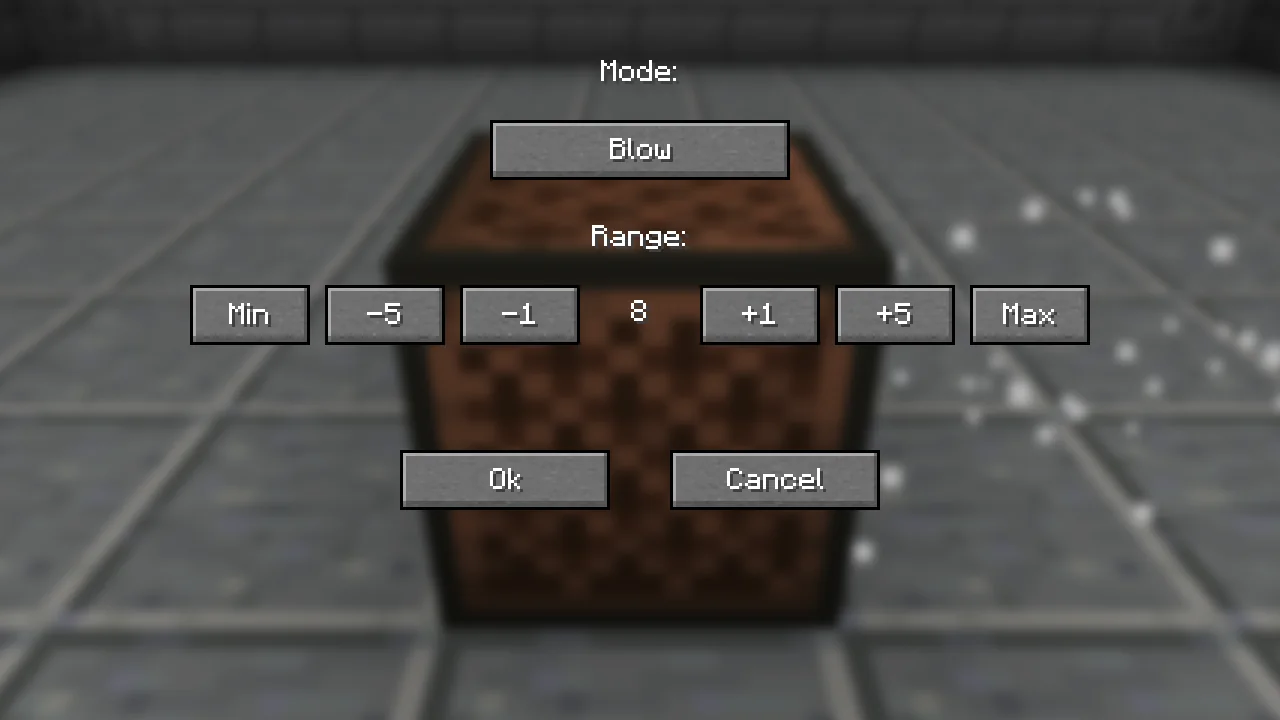
Fans can be configured however you like by using the GUI that opens when you right click on a fan. From within the GUI you can adjust the mode `Blow/Suck` as well as adjust the range. The range that it is set to directly affects the speed at which entities are moved along.
Fans can be turned off by powering them and when they no longer have a redstone power they will go back to whatever they were previously set to.
Config
These are in the assortedfan-common config file.
- fans.fanSpeed is how fast a fan pushes or pulls things. 0.13 by default.
- fans.fanModSpeed is the extra speed a fan gets the higher its range is set. 0.065 by default.
- fans.fanMaxRange is the highest range a fan can be set to. 32 blocks by default.
These are in the assortedfan-client config file. They only change your own game, so everyone can set their own.
- fans.showFanParticles shows the air coming out of a fan. On by default.
Gallery